
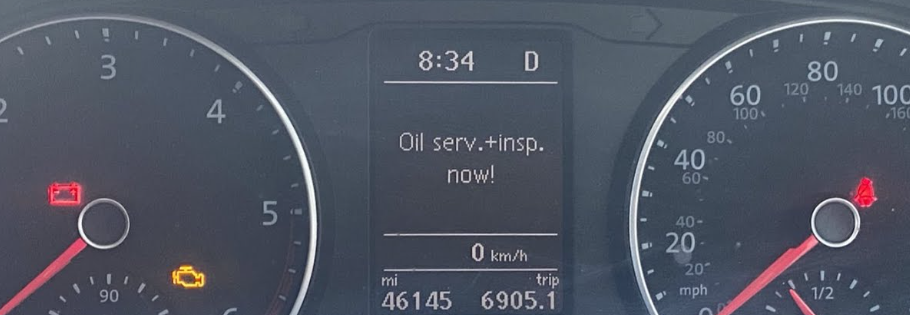
The service warning light on a VW Transporter is one of those things that every owner needs to reset at some point, whether you have just had a service done at an independent garage, changed the oil yourself, or bought a van where the previous owner left the light flashing. The procedure is different on each generation of Transporter, so here is the complete guide covering every model from the T4 through to the T6.1.
One thing to be clear about before we start: resetting the service light is something you do after the service has been carried out, not instead of it. There is more on why that matters towards the end of this guide.
How to Reset the Service Light on a VW Transporter T4 (1990 to 2003)
- Insert the key but leave it in the first position without starting the engine
- Press and hold the right button on the dashboard
- While holding that button, turn on the instrument panel
- Rotate the left button clockwise
- Restart the vehicle to confirm the reset is complete
The T4 is the simplest reset of the lot. No hazard lights required, no menus to navigate. If the service light comes back on immediately after restarting, repeat the procedure and hold the buttons a little longer before rotating.
How to Reset the Service Light on a VW Transporter T5 (2003 to 2015)
- Insert the key and turn to the on position without starting the engine
- Press and hold the 0.0/SET button on the right side of the instrument panel
- While holding it, turn on the instrument panel
- After approximately two seconds, press the left button
- Restart the vehicle to confirm the reset
The service interval display will update to show the new countdown mileage or days. On some T5 variants there are two warnings to reset: the oil service and the inspection. If both are showing, repeat the procedure a second time for the inspection warning.
T5 owners should also be aware of a known issue with the 2.0 TDI CFCA engine and excessive oil consumption linked to EGR cooler failure. We covered this in detail in our VW Transporter T5 EGR cooler failure guide. If your T5 is using oil between services, that article is worth reading before you simply reset the light and carry on.
How to Reset the Service Light on a VW Transporter T6 (2015 to 2019)
The T6 has two separate warnings to reset: the oil service and the inspection. Both use the same procedure but need to be done separately.
Oil service reset:
- With the ignition off, turn on the hazard warning lights
- Press and hold the 0.0/SET button while turning the ignition on
- The dashboard will prompt you to confirm the oil service reset
- Press OK on the steering wheel or the wiper lever to confirm
- Turn the hazard lights off
Inspection reset:
- Repeat exactly the same procedure with hazard lights on
- This time the dashboard will prompt for the inspection reset
- Press OK to confirm
- Turn hazards off
The T6 requires 5W-30 full synthetic oil meeting VW 507.00 specification. Using the wrong oil spec will not prevent the reset but will affect engine longevity, particularly the DPF and turbocharger.
How to Reset the Service Light on a VW Transporter T6.1 (2019 Onwards)
The T6.1 procedure is slightly different to the T6, which catches a lot of owners out. The hazard light method is still used but the confirmation step changed.
For T6.1 models with a text display (MFD):
- Switch off the ignition
- Turn on the hazard warning lights
- Press and hold the 0.0/SET button in the instrument cluster
- Restart the ignition
- Release the 0.0/SET button and press the menu/clock button within approximately 20 seconds
- Confirm the reset using the OK/RESET button on the wiper lever or the OK button on the multifunction steering wheel
- Switch off the hazard warning lights
For T6.1 models without a text display:
- Switch off the ignition
- Turn on the hazard warning lights
- Press and hold the 0.0/SET button in the instrument cluster
- Restart the ignition
- Release the button when prompted
- Switch off the hazard warning lights
T6.1 models with the digital cockpit (virtual instrument cluster) may need the reset carried out through the infotainment system menu under Vehicle, Service, Reset Service Interval. If the button method does not work on your specific van, check the vehicle menu on the touchscreen first.
How Often Should a VW Transporter Be Serviced?
VW Transporters use a variable service interval system that adjusts based on driving conditions, mileage and oil quality. On the T5 and early T6, the oil service is typically due every 10,000 miles or annually, whichever comes first. Later T6 and T6.1 models using long-life 507.00 spec oil can potentially extend to 20,000 miles or two years.
However, for a working van covering high mileage, regular short journeys or towing, the annual interval is worth sticking to regardless of what the display says. The variable service system calculates based on average conditions. If your van works harder than average, it deserves more frequent oil changes than the system will suggest.
Why You Should Never Skip a Service on a VW Transporter Diesel
Resetting the service light without actually carrying out the service is something some owners are tempted to do. It is a false economy that almost always costs more in the long run.
Old engine oil breaks down and loses its lubricating properties. On a diesel Transporter, degraded oil causes accelerated wear on turbocharger bearings, injectors and the engine itself. These are expensive components. A turbocharger replacement on a T6 can run to over a thousand pounds. An injector set costs considerably more.
On the 2.0 TDI engines used across the T5 and T6 range, old oil also contributes directly to EGR valve clogging and DPF blockages. Both of these are among the most common and most costly faults on these vans. Regular oil changes with the correct specification oil are the single most effective preventative measure available to a Transporter owner.
If your T5 is using oil between services or showing excessive consumption, read our VW Transporter T5 EGR cooler failure guide before the next service. Catching that issue early saves significant money.
The Short Version
Reset procedures differ by generation. T4 uses the right and left dashboard buttons. T5 uses the 0.0/SET button with ignition on. T6 uses the hazard lights plus 0.0/SET with OK confirmation. T6.1 adds the menu/clock button to the T6 procedure. Always carry out the actual service before resetting the light. And if your van is using oil between services, do not ignore it.
Have you had any issues resetting the service light on your Transporter? Let us know in the comments.
Related reading: